 Best solutions for Password Recovery and Data Recovery
Best solutions for Password Recovery and Data Recovery
Best solutions for Password Recovery and Data Recovery"Three months ago I bought an Dell laptop with Windows XP pre-installed but have no install CD. I now want to reinstall Windows and fully format the hard drive - however, the sticker with the Windows product key under the laptop is unreadable. How do I find my Windows XP product key on the laptop? "
When people want to reinstall their Windows OS on laptop, we need its product key to active the product again. In fact, we purchase the Windows XP product key before. How to retrieve the original key on that dell laptop?
There are two options: You can buy a replacement product key from Microsoft, or you can try to recover your lost product key using a product key finder. Assuming you don’t want to pay for a new one right away, The following program can help you recover a lost Windows XP Home/Professional Edition product key by just one click.
Asunsoft Product Key Finderis a professional key finder which can help you retrieve any lost Windows XP product keys for any brands of laptop/desktop such as DELL, HP, Acer, Toshiba, Asus, Sony etc. It also can be used to recover lots of popular software's product keys installed on your laptop.
Product Key Finder is an extremely simple but very functional key finder. Pros:
Now let see how to retrieve Windows XP Professional Edition product key.
Step 1. Install Product Key Finder on your Windows XP laptop. And then run it. You will see the following interface.
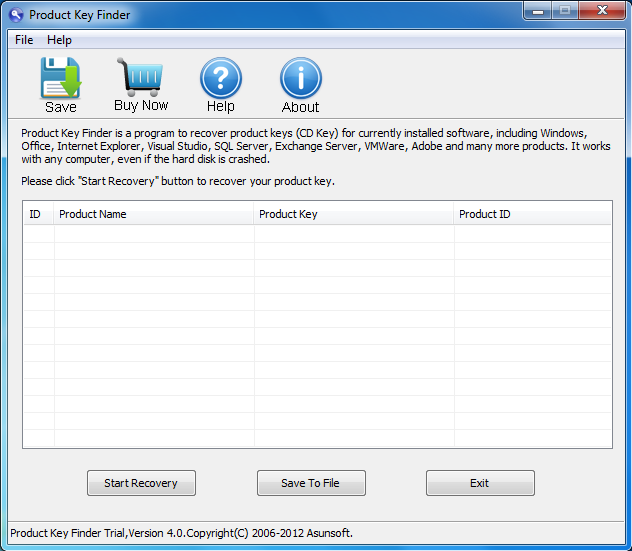
Step 2. Click "Start Recovery", then all product keys for currently installed software on your laptop will be listed. The key finder program will display numbers and letters that represent your Windows XP product key which should be formatted with five sets of combined numbers and letters.
Now you can see that the Windows XP Professional, Microsoft Office 2010 and 2007 product keys are displayed.
Note that Product Key Finder trial version juat can let you know teh first five digits of the key. Full version can reveal the whole key.

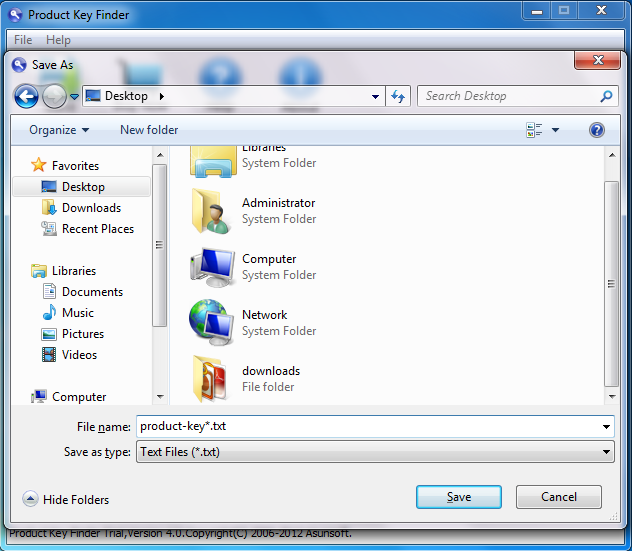
Step3. Click the "Save To File" to save the recovered product keys in a .txt file at a safe location.