 Best solutions for Password Recovery and Data Recovery
Best solutions for Password Recovery and Data Recovery
Best solutions for Password Recovery and Data RecoveryI lost my Windows 7 Ultimate product key, how can I find my Windows 7 product key so that I don't need to buy it again? Is there a way can find a lost WIndows product key in a few seconds? Yes, Asunsoft Product Key Findercan help you retrieve any lost product keys for Windows OS, Microsoft Office and any other software installed on your computer. It works perfectly with any computer, even the hard disk is crashed. Here I will show you how to recover my Winddows 7 Ultimate product key for I forgot it.
Just one click, we can reveal all product keys of any software installed on your PC.
Step 1. Download Product Key Finder and install it on my Windows 7 computer. It has a user friendly interface.
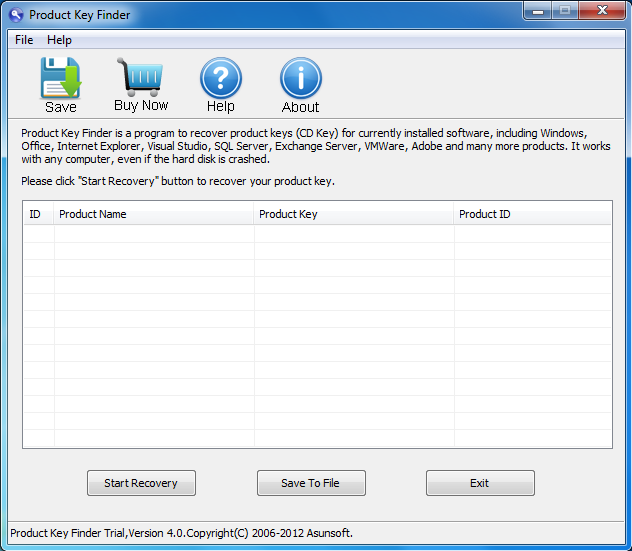
Step 2. Find my Windows 7 ultimate product key by just one click. Of course, it also can be used to find Windows 7 Home Basic, Professional, Enterprise and any other Windows Editions such as Windows 8, Vista, XP, Windows server 2008, 2003, 2000 etc.
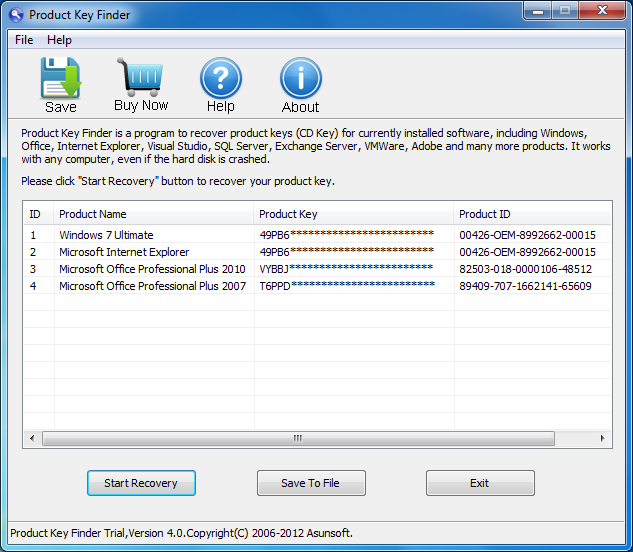
Click "Start Recovery" button, then all product keys for currently installed software on your computer will be listed. Now you can see that the Windows 7 ultimate, Microsoft Office 2010 and 2007 product keys are displayed.
Note that Product Key Finder trial version juat can reveal five digits of the key. Full version can reveal the whole key.
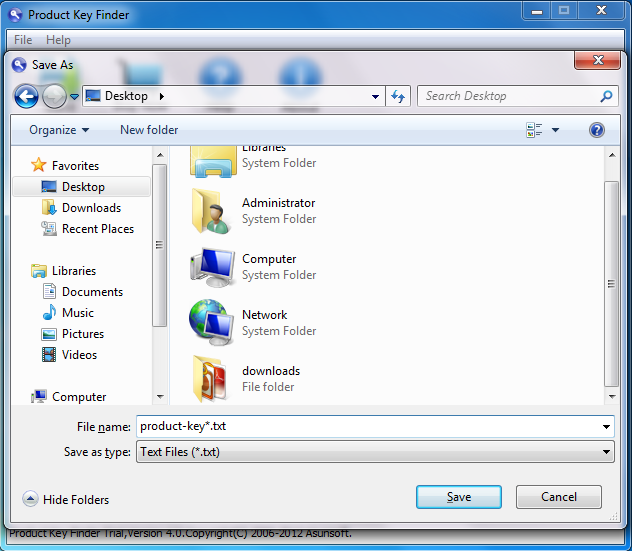
Step3. Don't forget to backup all Product Keys of your computer so that you won't lost them again.
It is very simple. Click the "Save To File" button and save the recovered product keys at a safe location. It will be saved on a txt file.