 Best solutions for Password Recovery and Data Recovery
Best solutions for Password Recovery and Data Recovery
Best solutions for Password Recovery and Data RecoveryIn Windows XP, we can create a Windows XP password reset disk to prevent password lost. Have you ever done this? It is very easy but important. When you lose access to your XP user account, you can use it to reset Windows XP login password within a few seconds.
If you lost the only one administrator account password and have no password reset disk. Don't worry, you can use Asunsoft Windows Password Reset Personal to reset it easily and safely. More Details: How to Reset Windows XP Password.
>> Section 1: How to create Windows XP password reset disk
>> Section 2: How to use Windows XP password reset disk to reset a lost password
To create a password reset disk for your current user account, forllow these steps.
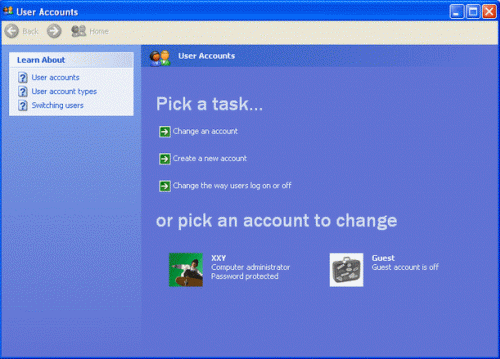
1. Insert a blank USB Flash Drive. Click Start and open Control Panel > User Accounts. Pick an account to change.
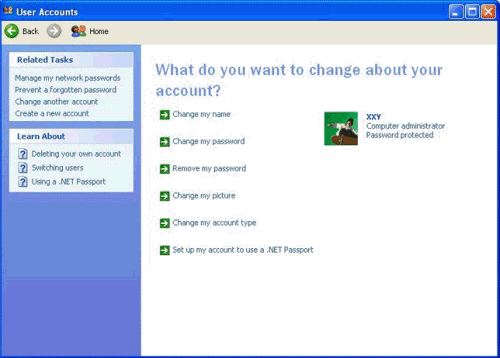
2. Click Prevent a forgotten password on the left sidebar.
3. When the Forgotten Password Wizard appears, click Next to continue.
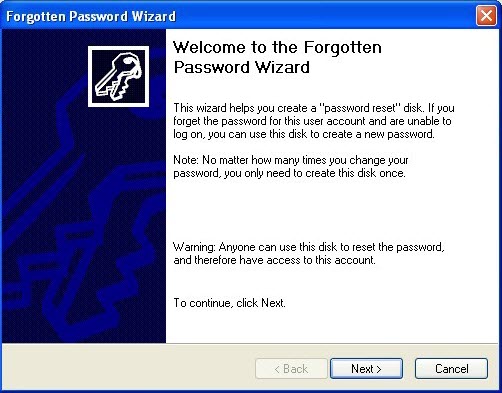
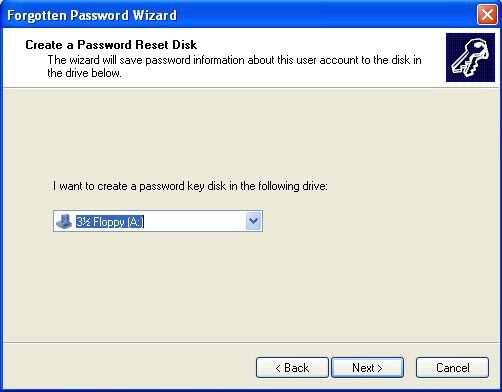
4. Select the portable media drive from pull-down list(your USB drive). And then click Next.
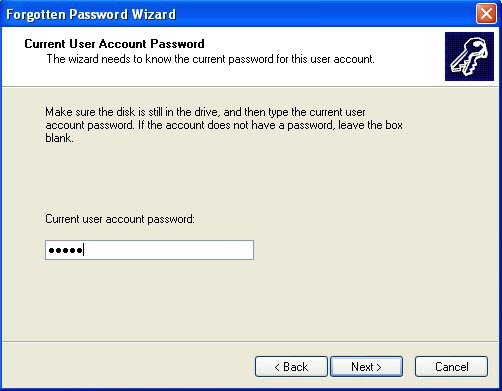
5. Type in your current user account password in the password box and click Next.
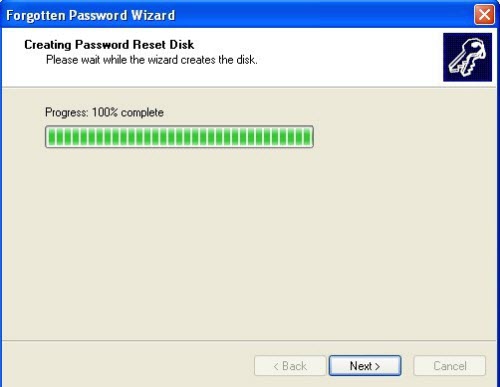
6. Wait for a moment. When the progress indicator shows 100% complete, click Next.
6. Click Finish and remove your USB flash drivefrom your computer. Store the disk in a safe place.
When you forgot Windows XP password for this user account, you can use the password reset disk to reset the password. Nothing will be changed after your replace the password.
1. Strat/restart your computer.

2. Press Ctrl+Alt+Delete twice, it will show you the classical login box.
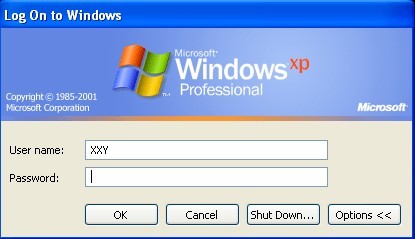
3. Login your account with a wrong password. A dialog pops up, click Reset Password button.
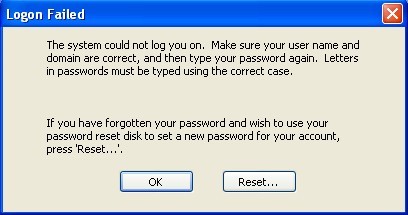
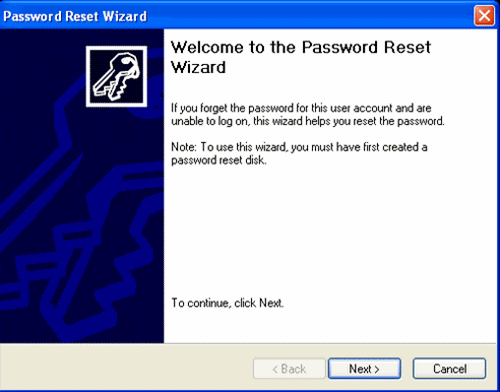
4. Password Reset Wizard appears, plugin you Windows XP password reset disk., click NEXT.
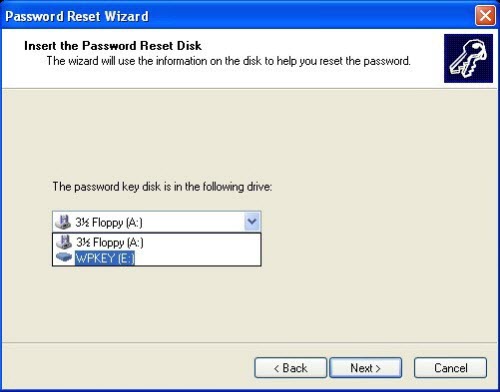
5. Select the portable media drive from pull-down list(your USB drive). Click Next.
6. Type a new password confirm it. Click Next.
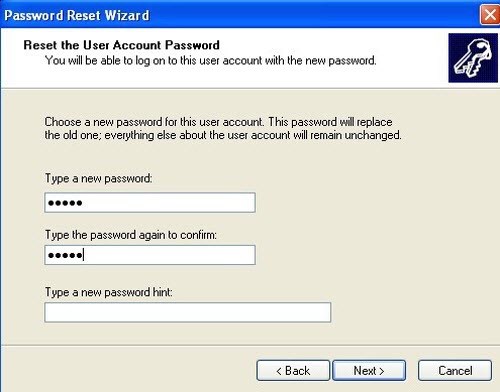
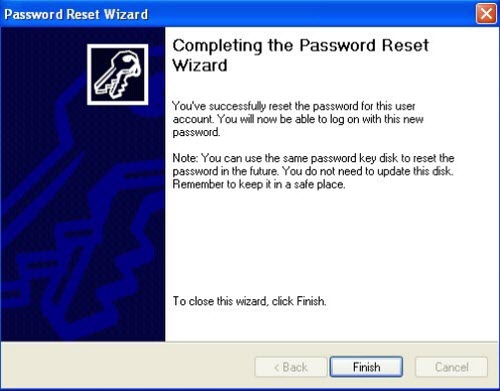
7. You have successfully reset your user account password. Click Finish, then you can access Windows XP with new password.